


Solitaire for Seniors Game
4.92.24K Reviews
App Specs
- Version
- 5.6.0-26081263
- Updated On
- License
- Free
- Downloads
- 1,000,000+
- Developer
- Guru Puzzle Game
- Categories
- Card
- Platform
- Android, iOS
Screenshots
 Analysis by AppCompare
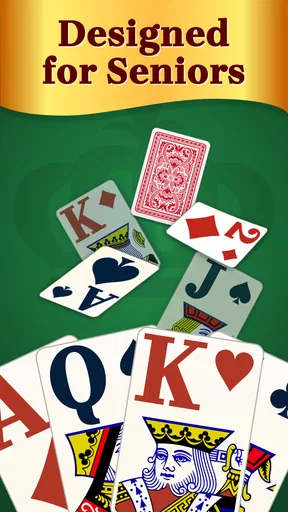
I like card games that let me settle in quickly, make a few thoughtful moves, and stop whenever real life calls. Solitaire for Seniors is built around that kind of quiet, familiar play. It presents Solitaire as an easygoing pastime rather than a race, and its larger card faces make the central action—checking a suit, spotting a sequence, and deciding what to move—feel more comfortable on a phone screen.
The game comes from Guru Puzzle Game and is free to download. It has a 4.9 average from around 82,000 ratings, with over 1 million installs, so it has found a sizeable audience among people looking for a straightforward card game. It is rated for Everyone, and the current version is 5.5.1-26041347. Those figures tell me it is established, but the more useful question is whether its pace and presentation suit the way you actually want to play.
Start with one clear move
The first appeal is how quickly I can focus on the cards instead of learning an elaborate system. Solitaire’s familiar layout gives me an immediate task: inspect the columns, uncover what is hidden where possible, and move cards in a way that opens up future choices. That basic loop is a good fit for short breaks because there is no need to coordinate with other players or remember a long sequence of instructions.
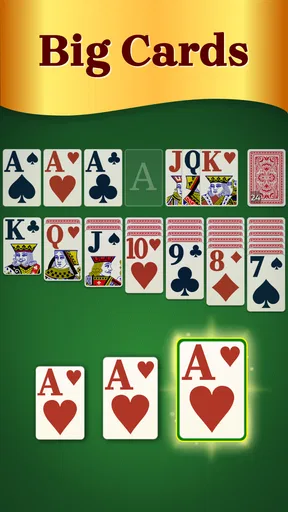
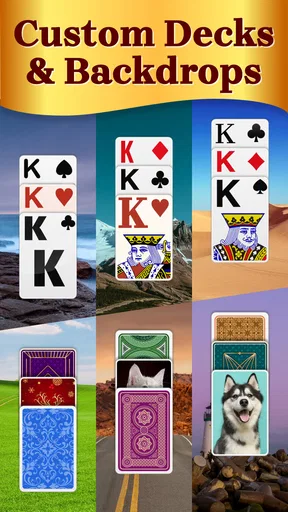
The large card faces are especially useful when I am holding my phone one-handed or playing in changing light. Clear ranks and suits reduce the small but tiring effort of repeatedly leaning closer to check a card. The app also offers customizable backgrounds and card designs, which gives me a practical way to adjust contrast and visual comfort rather than treating appearance as decoration alone. I would try a combination that makes the card edges and suits easy to distinguish before settling on a long session.
A calm rhythm, with room to rethink
Once a game is underway, the experience suits a measured pace. I can pause to consider whether a move will expose a useful card or simply shift a problem elsewhere. Hints are there when I feel stuck, and unlimited undos make experimentation less punishing. That matters for a casual game: a mistaken move can become a learning moment instead of a reason to abandon the deal.
I would use undo deliberately rather than tapping it after every uncertain move. Try a sequence, notice what it opens or blocks, then step back if the result is worse. That turns the feature into a way to understand the board, not just a way to erase every decision. Hints can serve a similar purpose: useful when I have scanned the layout and cannot see a productive move, but less satisfying if I want every solution to come from my own planning.
Small rewards without a rush
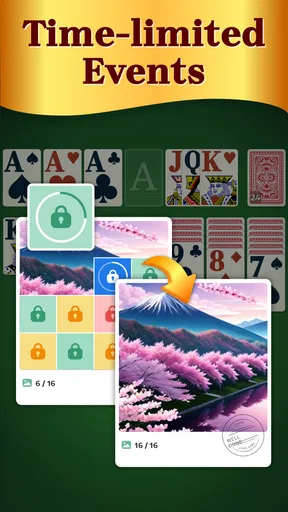
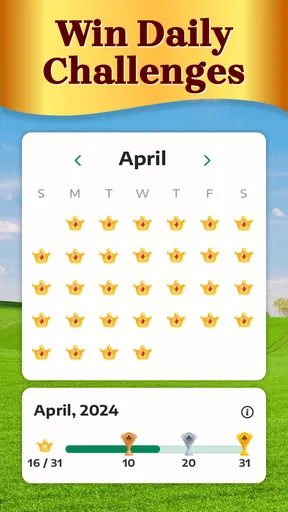
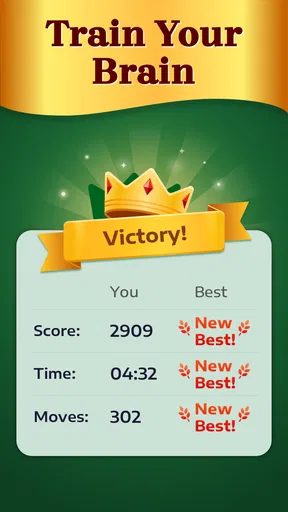
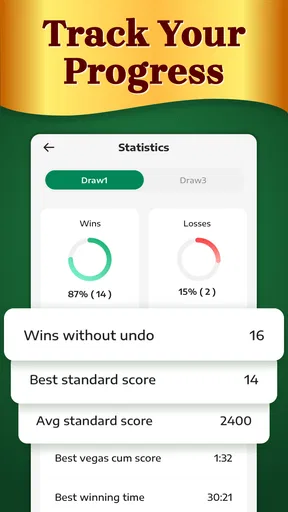
Daily Challenges give a returning player a reason to open the game again, while statistics tracking can make personal progress more visible. I see those as optional nudges rather than the main attraction. If I enjoy keeping an eye on how I play, the records add a little structure; if I only want one quiet deal, I can treat them as background.
Worth Reading Before You Choose

Switching to Android Auto Means Rethinking Your Driving Routine

Google Calendar Makes a Crowded Week Easier to Manage

Baby Panda World Brings Quick Play to Modern Phones, but Its Game Library Feels Busy

ESPN’s Live Game View Makes Following Close Games Easier

QuizzLand Review: A Good Fit for Short Trivia Breaks, Not Every Player

Basketball Stars: Multiplayer Is Fast, but Can It Recover When Matches Go Wrong?
That distinction is important because Solitaire is most rewarding when the goal is clear but low pressure. A good move can reveal new possibilities, and finishing a deal offers a neat sense of closure. Not every game will feel equally satisfying, though, and the appeal depends on enjoying the process of sorting through the cards rather than expecting a stream of changing objectives or dramatic events.
Easy to fit around an ordinary day
Offline play makes the game practical for places where a connection is unreliable or unavailable. I could start a deal in a waiting room, continue during a quiet stretch of a trip, or play at home without needing to plan around Wi-Fi. The important trade-off is simply that this is a solo card pastime: it is for filling a spare moment, not for social competition or a shared game night.
For example, I might open it while waiting for an appointment, play a few moves, and put the phone away when my name is called. The unhurried format works well for that stop-and-start use. If I prefer longer sessions, the large cards and undo option make it easier to stay comfortable and recover from a careless tap, though the same familiar loop may feel repetitive once I have had enough Solitaire for the day.
Who will enjoy this version?
I would recommend it to someone who already likes classic Solitaire and wants a legible, uncomplicated way to play on a phone. It can also suit a new player who values hints and the freedom to undo moves while learning. Although the design is aimed at seniors, age alone is not the deciding factor; anyone who prefers clear cards and a relaxed pace may appreciate it.
I would look elsewhere if I wanted multiplayer, a strong story, fast action, or frequent changes in how a game works. A conventional Solitaire app without a senior-focused presentation may suit someone who prefers a denser interface or a different style of play, while a different kind of card game is a better fit for people who want opponents and social interaction. This one makes its strongest case through accessible, familiar solo play.
Why Choose Solitaire for Seniors?
When I first stumbled across Solitaire for Seniors, I was intrigued by its promise of being "senior-friendly". Now, I know what you might be thinking—"Another app pandering to seniors?" But hold on, this one genuinely delivers. The app focuses on accessibility, which is key for anyone who might not be as tech-savvy but still wants to enjoy a good card game.
Easy on the Eyes
One of the standout features is the large card faces. I mean, who wants to squint at tiny numbers and suits? With this app, the cards are big, bold, and clear. It really makes a difference when you're trying to focus on strategy rather than deciphering the cards. Plus, the app offers customizable backgrounds and card designs, so you can tweak things until they feel just right for your eyes.
User-Friendly Interface
I can't emphasize enough how intuitive the interface is. It's like the developers read my mind and knew I wanted something straightforward. The menu navigation is smooth, and the options are laid out in a way that even a first-timer can quickly understand. No more fumbling around trying to figure out which button does what.
Hints and Unlimited Undos
We all get stuck sometimes, right? Thankfully, the app includes a helpful hint feature that gently nudges you in the right direction. And the unlimited undos? A lifesaver! It takes away the pressure, allowing you to experiment with different moves without worrying about ruining your game. You can play at your own pace, which is just perfect for leisurely afternoons.
No Internet? No Problem!
One of the biggest perks for me is that Solitaire for Seniors can be played offline. Whether you're on a flight, in a waiting room, or just somewhere with spotty Wi-Fi, you can still enjoy a seamless game experience without any interruptions.
Additional Features Worth Mentioning
- Daily Challenges: Keeps things fresh and exciting with new challenges every day.
- Statistics Tracking: For those who love to see their progress, the app offers detailed statistics.
- Multilingual Support: A plus for non-English speakers, as the app supports multiple languages.
These features collectively make the app not just a game but an engaging pastime that respects the user's pace and preferences.
Final Thoughts
All in all, Solitaire for Seniors is more than just a card game—it's a thoughtfully designed app aimed at providing easy, enjoyable entertainment. It's perfect for seniors but equally delightful for anyone who enjoys a classic game of Solitaire. The app's focus on accessibility, user-friendliness, and offline playability makes it a standout choice. If you're in the market for a relaxing, hassle-free experience, give this app a go. Who knows? It might just become your new favorite way to unwind.
Cost, compatibility, and a sensible trial
Because the game is free, I can try its card size and controls before deciding whether it belongs in my regular rotation. It includes in-app purchases at $6.99 per item, so I would keep that in mind if I am trying to avoid optional spending. The base download does not require an upfront purchase, which makes it easy to test whether the senior-oriented presentation is genuinely more comfortable than the Solitaire app I already use.
It requires Android 6.0 or later. That is useful to check before recommending it to a relative with an older device: the age-friendly design cannot help if the phone does not meet the minimum system requirement. I would also let the person try a few moves themselves rather than assuming that a large-card layout automatically suits everyone. Hand comfort, screen size, and preferred contrast are personal, and the customizable designs offer a chance to find a better fit.
Make the features work for you
A useful way to learn the game is to begin with a deliberate scan: identify the exposed cards, look for a move that opens a covered card, and avoid moving a sequence simply because it is available. If the board stops making sense, ask for a hint, then consider why that suggestion helps before acting. That small pause can turn a quick nudge into a lesson in how the layout develops.
There is also a trade-off between convenience and challenge. Unlimited undos make experimentation comfortable, particularly for someone still learning the rules or playing with occasional interruptions. But if I undo every move as soon as it looks imperfect, I can remove much of the satisfaction that comes from planning. For a more focused session, I would try to make a few decisions unaided before using help; for a relaxed break, there is no need to impose that restriction.
The daily challenge can provide a simple reason to return, but it does not change the basic appeal: the cards remain the focus. Statistics are most useful if I enjoy noticing patterns in my own play, not if I expect them to transform a solitary game into a competitive one. I would treat these extras as ways to shape a routine, rather than obligations to check in or chase a target.
How it sits beside other card games
Compared with the usual compact Solitaire apps, this version puts readability and a forgiving pace closer to the center of the experience. Someone who finds small card faces tiring may prefer that emphasis; someone who values a minimal screen above all else may find a more stripped-down alternative better. The appeal is not that it replaces every kind of card game, but that it makes a familiar solo format approachable without asking the player to adapt to a fast or crowded interface.
It is also worth separating this from multiplayer card apps. Those are better when the point is to face another person, chat, or test skill against an opponent. Here, the pleasure comes from arranging the layout at your own speed. If you mainly want social contact, this will not meet that need; if you want a private pastime that can be picked up and set down, its format is much more suitable.
Where the loop can wear thin
The same predictable structure that makes the game easy to return to can become its limitation. Players who want new mechanics, a campaign, or constant surprises may find the familiar Solitaire loop too repetitive. Even daily challenges and personal statistics are supporting details, not a substitute for variety in the underlying play. I would choose another genre when I want a stronger sense of progression or a reason to keep playing for a long stretch.
Likewise, accessibility is a matter of fit, not a guarantee. Large cards help with recognition, but a person who dislikes touchscreen card movement or prefers physical cards may still find a phone less satisfying. If possible, I would try a brief session before making it a regular habit: check whether the cards are easy to distinguish, whether the controls feel comfortable, and whether the pace is relaxing rather than fussy.
A measured recommendation
My recommendation is simple: try it if clear card faces, a calm solo game, and the ability to rethink a move matter more to you than competition or novelty. It makes particular sense for a short daily pause, a quiet evening, or a trip where offline play is handy. I would skip it if I know I need social features, a fresh challenge in every session, or a game that rewards quick reactions.
The loop has a satisfying shape: I make a move, see whether it opens the board, use a hint or undo when I need a reset, and decide whether I want another deal. That balance of feedback and low pressure is the reason I can imagine returning without feeling pushed to stay. For the right player, Solitaire for Seniors is a comfortable take on a classic; for everyone else, the familiar format and accessibility-first design make it easy to judge quickly whether it belongs on the phone.
Pros
- Large
- easy-to-read cards enhance visibility.
- Simple interface suitable for all ages.
- Adjustable difficulty levels available.
- No time limits create a relaxing experience.
- Offline mode for uninterrupted gameplay.
Cons
- Limited customization options for themes.
- Ads can be intrusive between games.
- No daily challenges for variety.
- Lacks multiplayer features.
- Tutorials are minimal for beginners.
FAQs for Solitaire for Seniors Game
Is Solitaire for Seniors easy to use for beginners?
Yes, Solitaire for Seniors is designed with simplicity in mind, making it easy for beginners to pick up and play. The interface is user-friendly, featuring larger cards and intuitive controls to enhance accessibility. Whether you're new to solitaire or a seasoned player, you'll find it straightforward to enjoy the game.
Does the game offer any customization options?
Absolutely! Solitaire for Seniors provides various customization options to tailor your gaming experience. You can choose from different card designs, backgrounds, and themes to suit your preferences. These options are specifically designed to make the game visually appealing and comfortable for players of all ages.
Are there any in-app purchases or ads in Solitaire for Seniors?
Solitaire for Seniors offers a free version with ads, but there are options to purchase an ad-free experience. Some additional themes and features may also be available through in-app purchases. It's important to check the app store description for details on purchases and ensure a seamless gaming experience.
How does Solitaire for Seniors accommodate players with visual impairments?
The game is thoughtfully designed to accommodate players with visual impairments. It features larger cards, high-contrast colors, and adjustable text sizes to improve readability. These accessibility features ensure that all users can enjoy the game comfortably, regardless of their visual capabilities.
Is an internet connection required to play Solitaire for Seniors?
No, an internet connection is not required to play Solitaire for Seniors. This allows you to enjoy the game anytime and anywhere, without worrying about connectivity issues. However, an internet connection might be needed for downloading updates or accessing certain in-app purchases.


